Using No-AI DuckDuckGo As My Search Engine
I recently switched over my search engine in Firefox to noai.duckduckgo.com. As you might guess, this how you can use DuckDuckGo without the integrated AI feature called "Search Assist". While I do have some reservation in applying generative AI in my life, this is not an anti-AI move. My decision to make this change is largely driven by my desire to use technology in a mindful and responsible way. Every query has an environmental cost and I simply don't want to have the temptation to use it for everything.
Firefox
To do this, I follow Firefox's instructions to add a custom search engine. In the URL with %s in place of search term field, I simply add https://noai.duckduckgo.com/?q=%s.
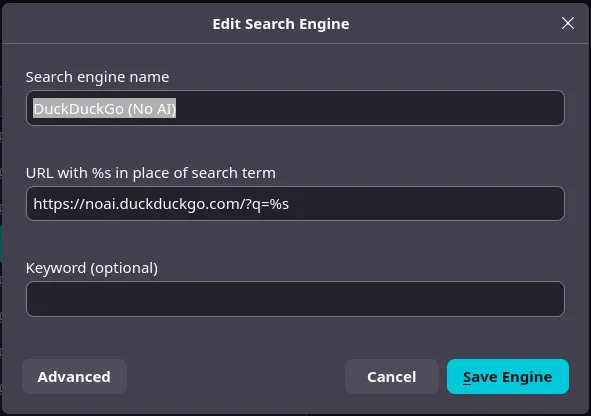
I still need to figure out if I can do this easily through a config file so that I can apply it at the same time as I apply my user.js file for a new Firefox profile so I'm doing the change manually with the instructions above for now.
This same method can be used for Brave. There's an extension in the Chrome Web Store that can do this as well but it's really not needed and just adds an additional attack surface.
Vanadium
It's fidgety but you can get No-AI DuckDuckGo a search engine option in the settings by visiting https://noai.duckduckgo.com/. You may need to actually search something to get it to show up.
Final Remarks
Some readers might point out that I can turn it off from the DDG Settings page. While this works, it doesn't work for me as I have my browsers to wipe their state constantly which means those settings would be reverted with normal use.